


Google Glimmer is the company's design language for the interfaces in coming Gemini smart glasses with transparent heads-up displays, and eventually true AR glasses too.
Small Screens Without The Struggle
On a traditional screen, designers fill a rectangle, and a VR headset stretches the canvas to a full sphere. On display glasses, the usable area is much smaller and always competes with real life. That alone calls for apps with glanceable layouts and a simple menu system. We saw a demo of Google’s prototype smart glasses at last year’s I/O.
Google describes the display as a space you opt into with focus, not something you passively absorb. These glasses are essentially heads-up displays (HUDs), not screens you stare at for hours. For daily use, display smart glasses should use a small area that allows you to shift attention briefly, then return to the real world at a moment’s notice.
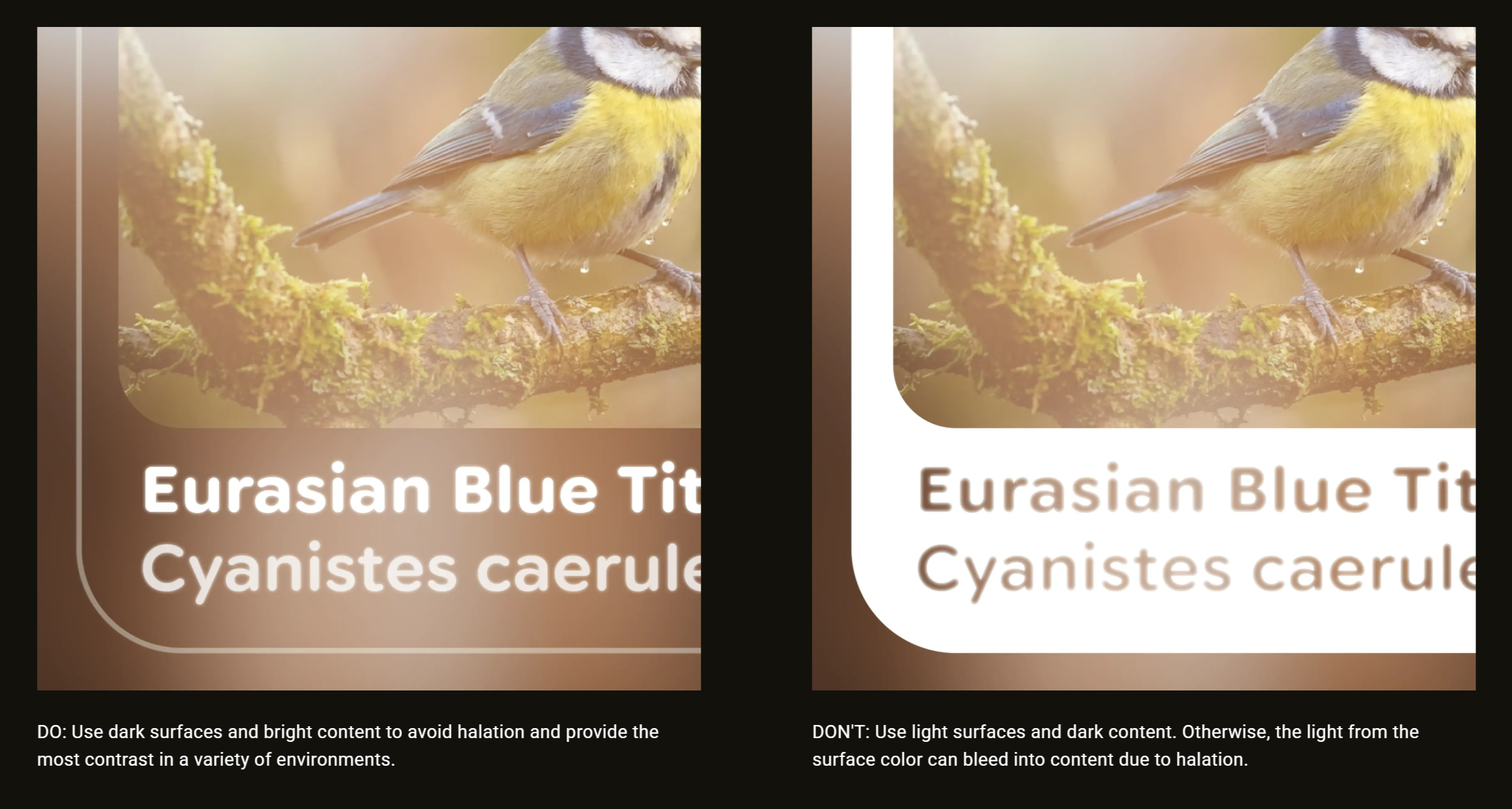
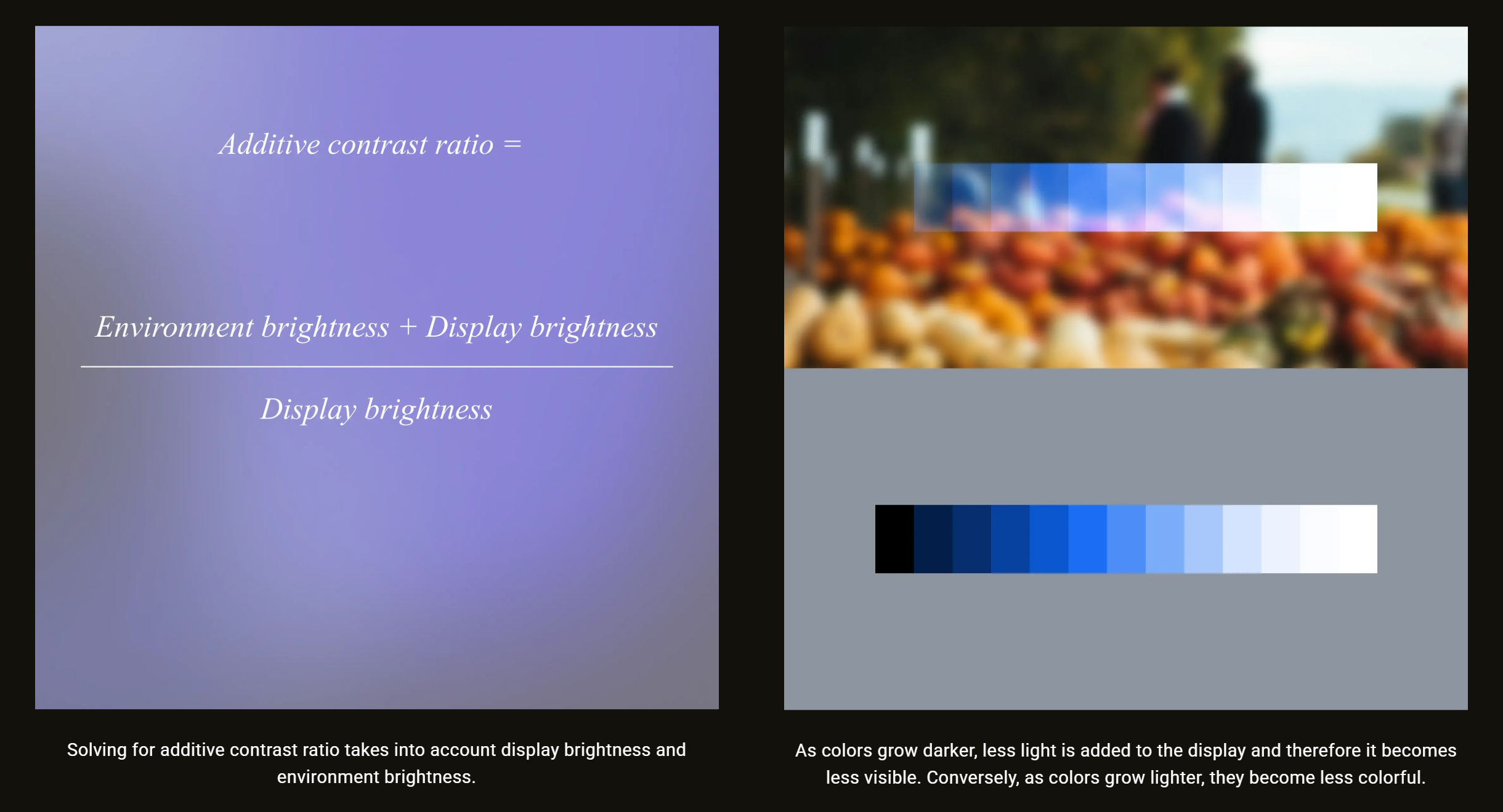
Since screen colors blend with the background, Google recommends maintaining intensity instead of maximizing saturation since darker colors fade away on transparent screens.
Resolution, Aspect Ratio, And Font Limits
Google also covered legibility, noting designers should base font size on what the eye can see clearly at arm’s length. Smart glasses displays often have tighter resolution limits and less forgiving optics, especially near edges. The predictable aspect ratios of mobile design no longer apply.
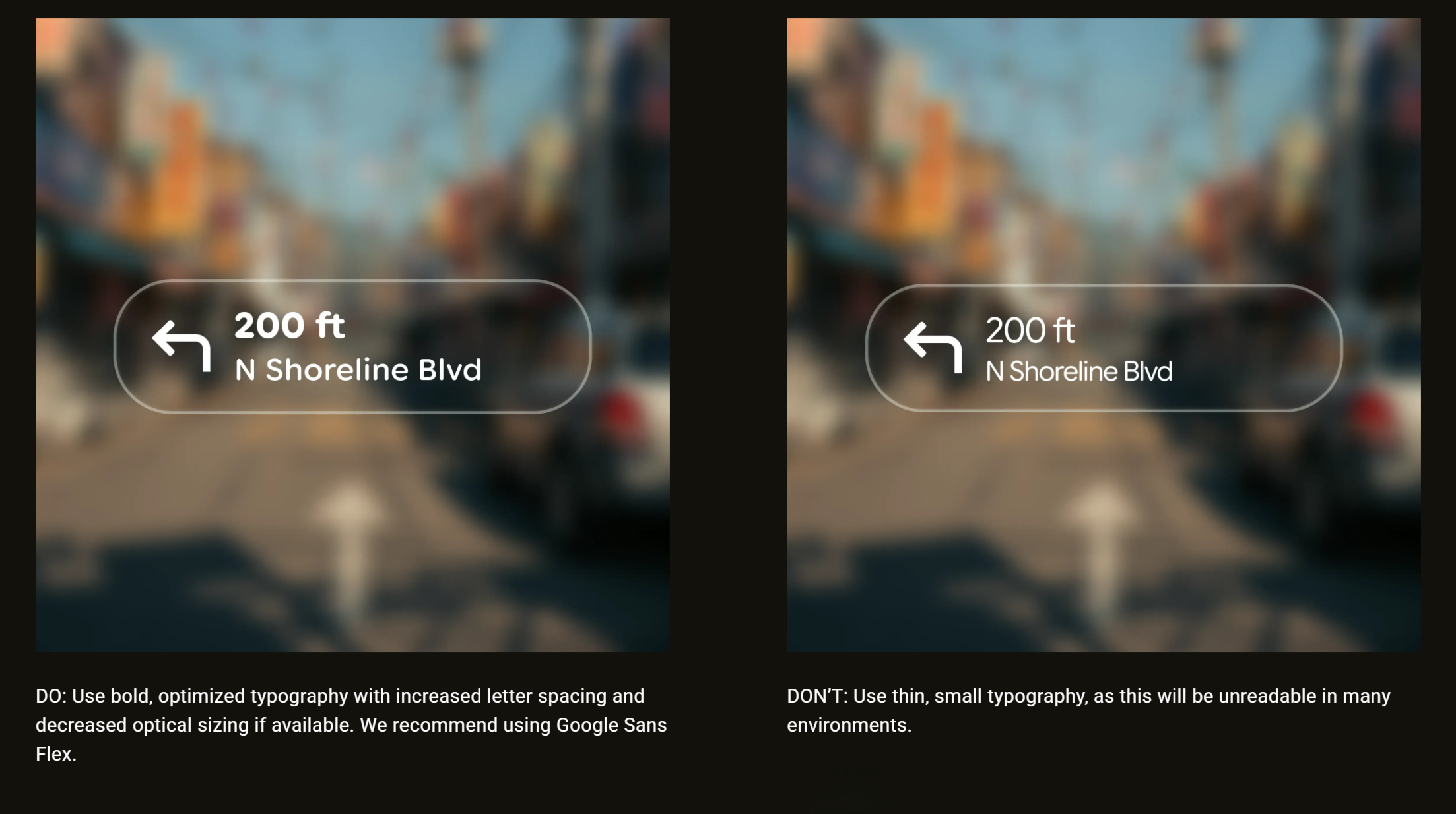
Apps shouldn’t display dense lists in tiny type, and even content should shift toward fewer words. Readability requires stronger contrast, heavier fonts, and clearer spacing. Google suggests its Sans Flex typeface as a good choice.
Power Is Part Of The Design
Battery life is another hard constraint for smart glasses, since weight is held to a minimum. Google calls for outlines instead of filled blocks to avoid halation (light bleed) and reduce power drain. Fewer lit pixels, transient messages, and optimizing motion are less taxing on the tiny thermal and battery envelope of smart glasses.
Google’s Glimmer is more than a style preference. It’s a plan to make the most of the limited display area, real-world backgrounds, legibility limits, and the challenges of daily use. To learn more, check Google’s guide on Jetpack Compose Glimmer.