Android XR now supports the recently standardized OpenXR Spatial Container extensions on devices with Spatial API Level 4 or higher, though notably limited to apps running in Full Space mode.
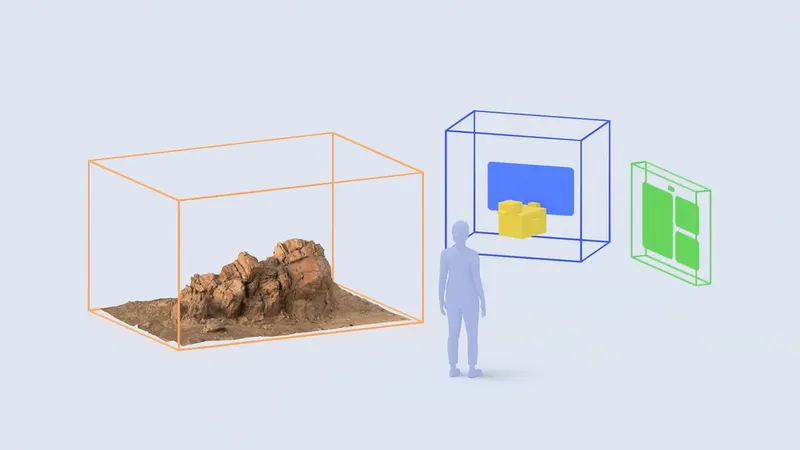
The recently released OpenXR Spatial Container extensions standardize system-managed spaces in which applications can display volumetric 3D content, similar to how traditional systems place 2D content within windows on a desktop.
 Luna
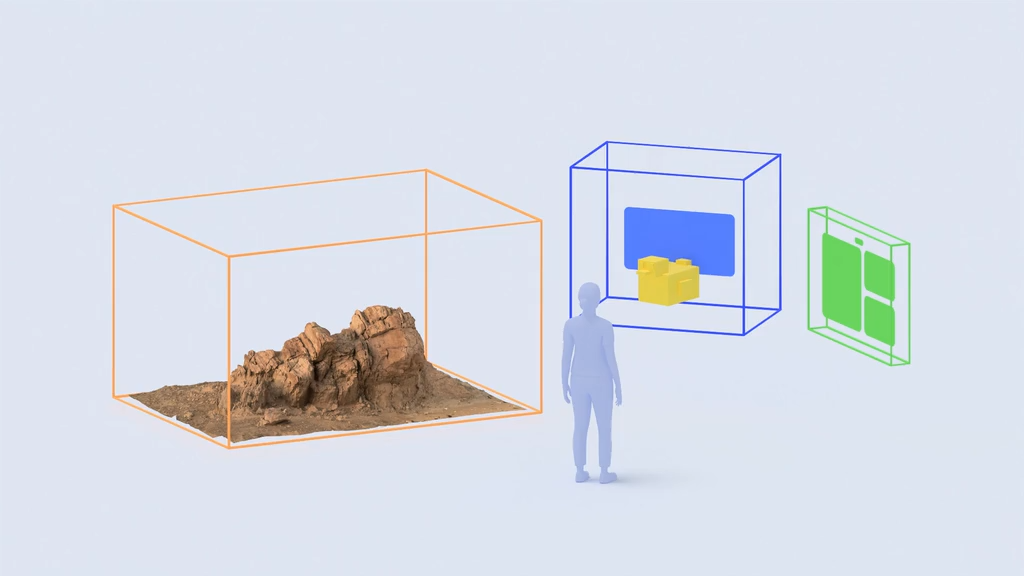
Previously, an OpenXR session on Android XR took exclusive control of the device's display. Now, Spatial Containers on Android XR let apps render 3D content inside a bounded 3D volume or transition into an unbounded, immersive mode similar to a conventional OpenXR app.
Android XR handles each Spatial Container's window controls and placement. When a container is focused and interactive, you can interact directly with the 3D content inside the volume using hand tracking, eye gaze, or 6DoF controllers.
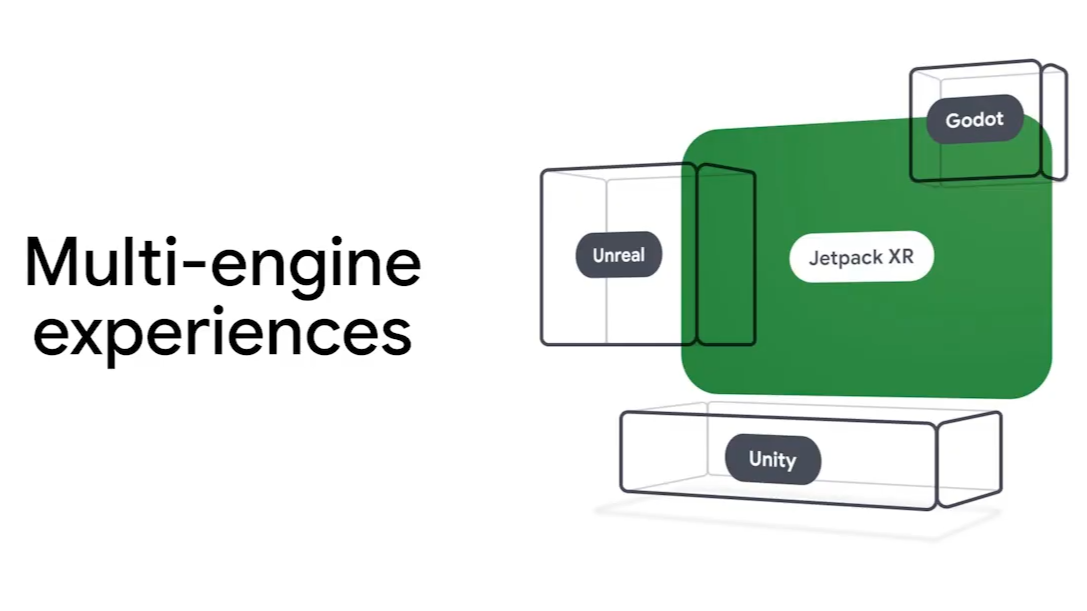
This new integration makes it possible to combine Jetpack Compose UI, standard 2D Android activities, and OpenXR-based 3D content in a single app. The 3D content can be rendered using game engines such as Unity or Godot, or implemented directly with native OpenXR.
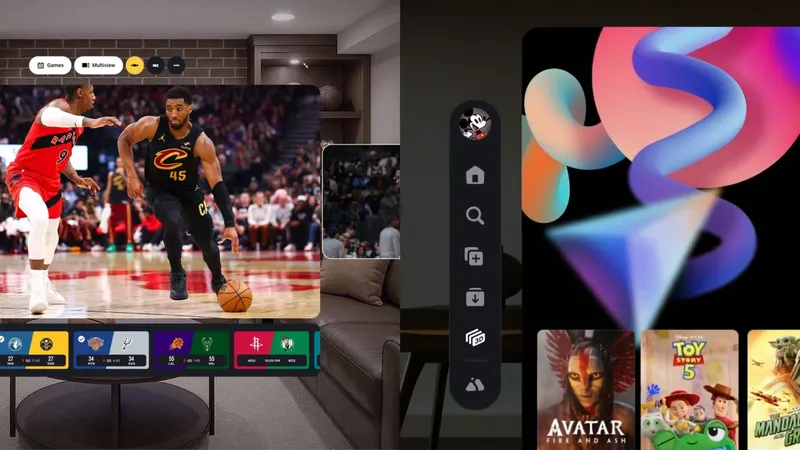
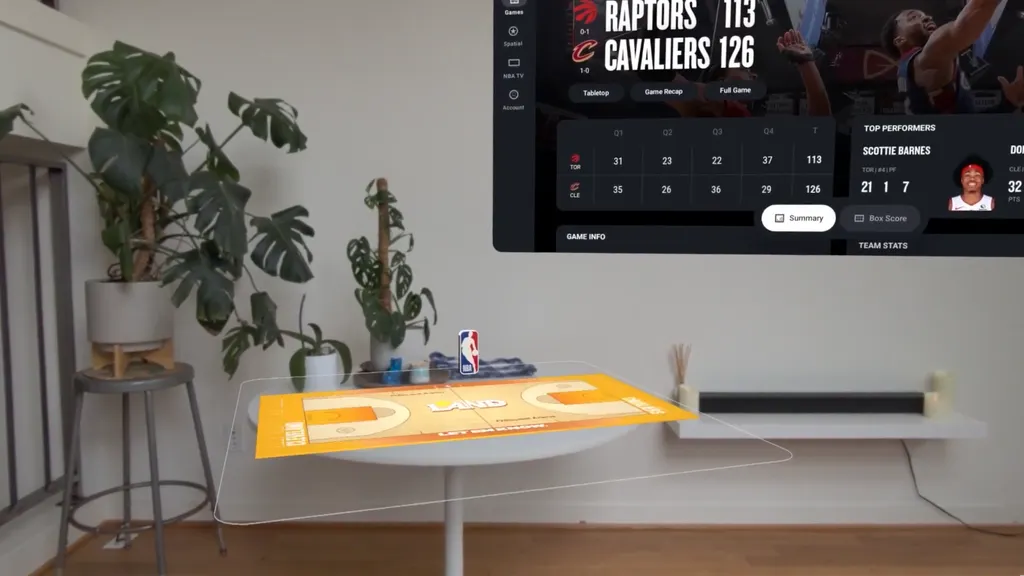
The NBA app is among the first to demonstrate this new functionality, leveraging it to provide a feature called Court View.
The app's main interface is built with Jetpack Compose, while select games now feature volumetric 3D court scenes rendered using Unity. This is similar to the feature introduced as Tabletop in the NBA app for Apple Vision Pro, which is now also called Court View.
The NBA app's Court View feature as shown at Google I/O 2026.
The NBA app's Court View feature as shown at the Android Dev Summit 2026.
At the standards level, Spatial Containers could enable apps broadly similar to those made possible by visionOS on Apple Vision Pro. Apple's "Shared Space" architecture and RealityKit framework allow for both windowed and volumetric 3D apps to run alongside each other in a system-managed environment and transition into "Full Space" immersive experiences.
However, Android XR's initial implementation has a significant limitation in that Spatial Containers require apps to run in "Full Space Managed" mode, rather than "Home Space", the mode Android XR uses to allow for multitasking with other apps.
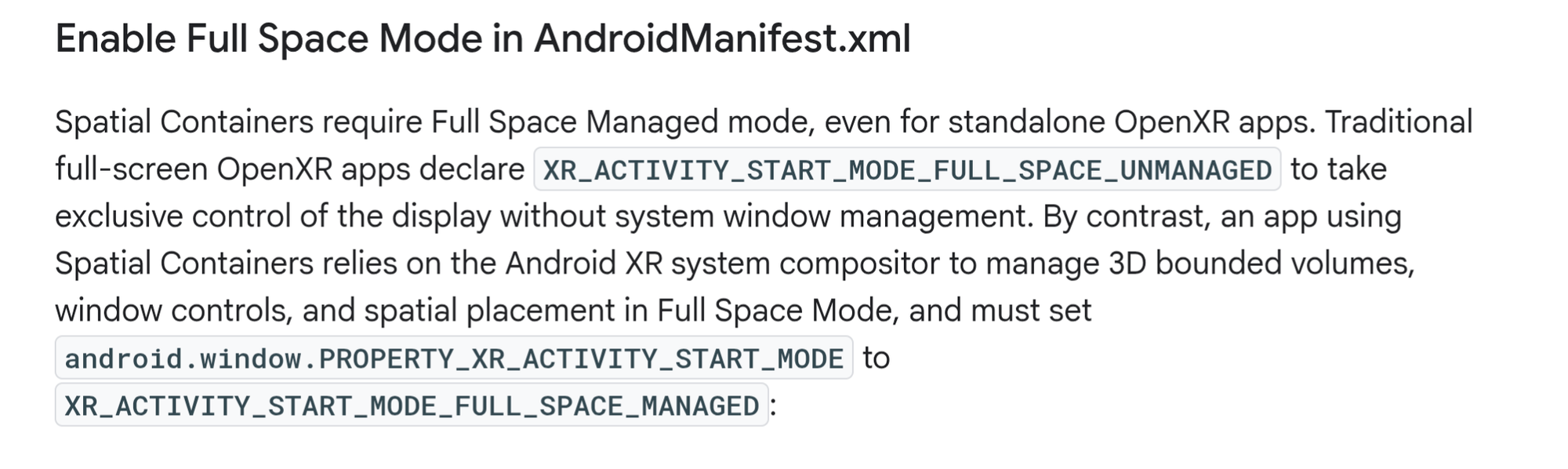
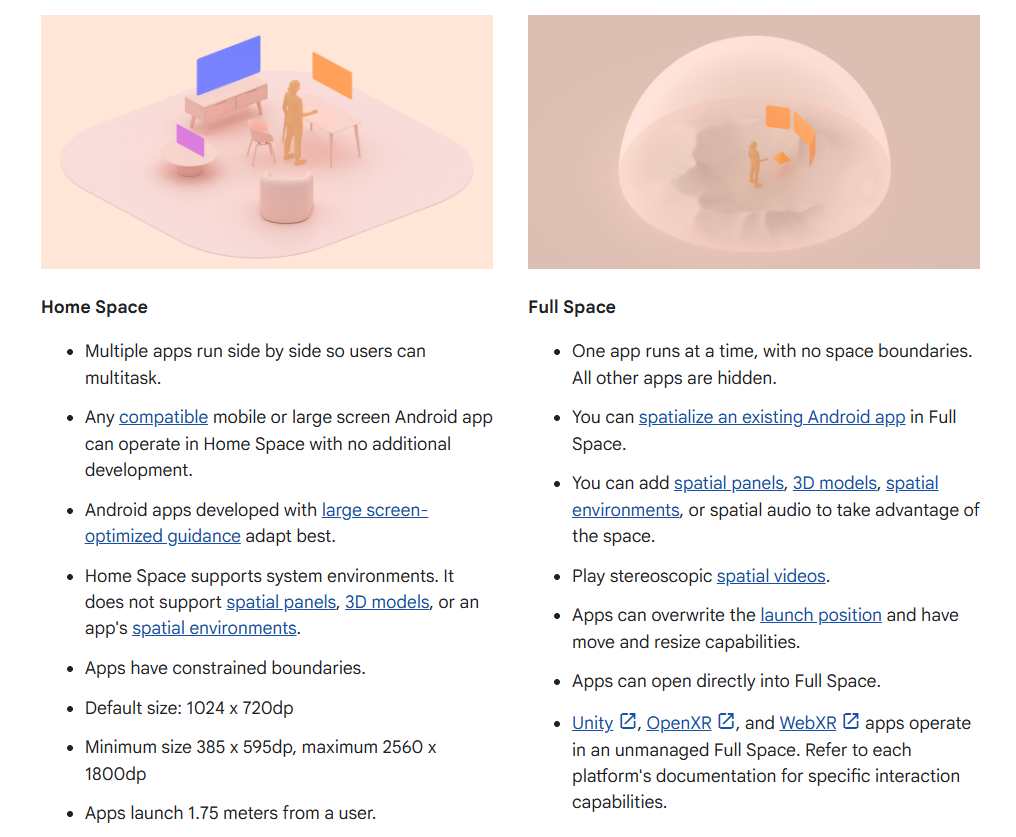
In practice, this means that an app running in Full Space can display multiple Spatial Containers with volumetric 3D content, but they cannot be displayed alongside content from other apps. This follows Android XR's existing architecture, which limits spatialized app components to Full Space.
Demo of Android XR's current implementation of Spatial Containers via the hello_xr sample, using an XR Headset in the Android Emulator with configuration patches. Note how the Chrome and Files windows are hidden.
This distinction means Android XR's current implementation of the Spatial Container extensions is best described as enabling multi-engine apps rather than cross-app spatial multitasking. Google had previously described the underlying functionality as supporting "multi-engine experiences" when previewing it at the company's I/O conference earlier this year.
While Spatial Containers are a step forward for Android XR, this initial implementation still leaves a gap between its capabilities and the full spatial multitasking offered by operating systems like visionOS on Apple Vision Pro and Pico OS 6 on the upcoming Pico Space Pro.