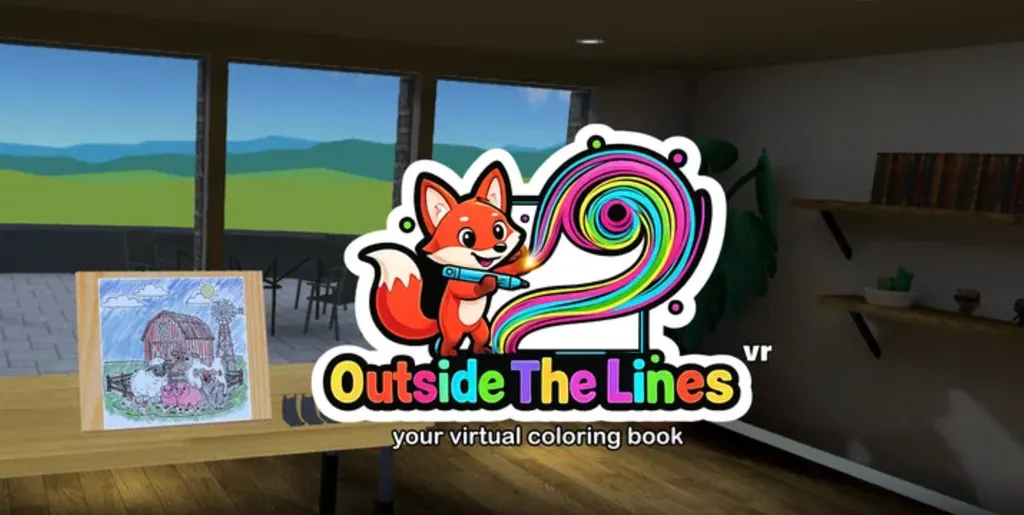
A relaxed, accessible VR coloring app built around simplicity, comfort, and low-friction design.
What is it?: A VR coloring app
Platforms: Meta Quest
Release Date: 3/30/2026
Developer: Sysdia Solutions, Ltd
Publisher: Sysdia Solutions, Ltd
Price: $9.99
I sat down planning to spend a few minutes with Outside The Lines VR. About half an hour later, I was still there, quietly coloring on a virtual canvas while everything else around me faded into the background.
Moments like that are why I keep coming back to VR.
I first came across Outside The Lines VR through a Reddit post from developer Harvey Ball, who was looking for feedback as he continued refining the app. I reached out, spent some time with it, and ended up having a longer conversation with him about how and why he built it.
Outside The Lines VR isn’t coming from a large team or a studio trying to build the next big hit. It’s a solo project from Ball, the original developer behind VRTK, an early toolkit used during the first wave of modern VR. You can see that experience here in how clean and easy everything feels to use. The app is immediately understandable and avoids some of the friction that can turn people away from VR.
On the surface, it’s a simple idea. This isn’t a painting tool or a full creative suite. You’re not sketching something from scratch, though there are open canvases if you want to. You’re picking up a pen, marker, or crayon and working your way through pre-designed images, one section at a time.
But after spending time with it, you realize that simplicity is actually the point.

That starts with how it handles the basics. The entire experience is built around just the trigger and grip, which makes it immediately approachable. You can use the entire app with a single controller, which makes it more accessible and keeps things simple for anyone new to VR. You pick up a pen, choose a color, and start filling in the lines. There’s no menu diving, no complicated toolsets, and nothing that feels like it’s getting in the way.
The onboarding deserves a mention too. The tutorial is straightforward, easy to follow, and always available if you need to revisit it. It doesn’t assume any prior experience and walks you through exactly what you need without overcomplicating things. It’s clearly designed with non-gamers in mind, which makes a difference in an app like this.
One thing I noticed pretty quickly is that it doesn’t rely on shortcuts. There’s no color fill here. If you want to complete a section, you actually have to color it in. At first that caught me off guard, but after a few minutes it started to click. The act of slowing down and working through an image is really the whole point.
It also avoids some of the small frustrations you tend to run into in VR. Pens don’t fall out of your hand or drop to the floor if you let go. You can easily reposition the canvas to whatever angle feels comfortable. It’s all designed to keep you focused on what you’re doing instead of constantly adjusting around it.
It sounds like a small thing, but it really does make a difference. You’re not thinking about controls. You're not adjusting your angle or grip to the app. The app adjusts to you. You’re just coloring.
Demonstrating Outside The Lines VR gameplay, captured on Meta Quest 3
There’s also more flexibility here than you might expect once you start digging into it. You can switch into mixed reality, remove the desk and easel, and place the canvas wherever it feels most comfortable in your space. I found myself adjusting it frequently, tilting it or bringing it closer depending on how I was holding the pen.
You can also scale the canvas, which ends up being more useful than it sounds. Making it larger helps with finer detail, while shrinking it down lets you cover more area quickly. It’s not something you have to use, but once you realize it’s there, it becomes part of how you work through an image.
Even small things, like being able to move the menu and pen placement to the left or right side, add up. If you’re left-handed or just more comfortable approaching things a certain way, it’s easy to make the app feel like it’s set up for you without ever having to think about it.
All of that sits just under the surface. There are a lot of ways to adjust the experience, from mixed reality and easel positioning to opacity and more, but none of it gets in your way if you just want to start coloring.
Mixed reality mode was particularly enjoyable for me, since I was able to be present in my physical space and continue conversations with family members even while coloring in the app.
Outside The Lines VR - Comfort
This app is designed for simple interaction, with the ability to use one or two controllers. No hand tracking is available. There are many settings that can modify the gameplay experience, but the overriding theme is simplicity.
Minimal issues with motion sickness occur due to being a largely stationary experience.

That said, there are a few areas where Outside The Lines VR still feels like an early effort.
The artwork is probably the first thing some people will notice. A large portion of it is AI-assisted, which may not land the same way for everyone. There’s plenty of variety, and it works for what the app is trying to do, but it doesn’t always have the same personality you’d expect from hand-drawn collections. To his credit, Ball told me he plans to bring in work from real artists over time, which would go a long way toward giving it a stronger identity.
There is a single virtual environment right now - a simple, clean indoor space that is functional and unobtrusive. It’s easy to imagine how different environments could enhance the mood, especially for an app that leans so heavily into relaxation. Think coloring on a tropical beach or on the surface of the moon.
And then there’s the broader question of audience. This is a very specific kind of experience, and not everyone is going to connect with it right away. Ball acknowledged that challenge, wondering whether the overlap between people who enjoy coloring and people who spend time in VR is as large as it seems. After spending time with it, it’s easy to see who this would appeal to, even if that audience hasn’t really been reached yet.
None of these are deal-breakers, but they do shape what the app is and who it’s really for. If you already enjoy coloring, or you’re looking for something in VR that’s more relaxed and low-pressure, this fits naturally. It’s also an easy recommendation for people who aren’t traditional gamers, or anyone who finds most VR experiences a little overwhelming.
Outside The Lines VR Review - Final Verdict
Outside The Lines VR is a simple idea, executed with a lot of care. It gives you a quiet place to spend some time and mostly stays out of your way while you do it.
If that’s what you’re looking for, it delivers exactly that.
Outside The Lines VR is available on the Meta Quest store for $9.99.

UploadVR uses a 5-Star rating system for our game reviews – you can read a breakdown of each star rating in our review guidelines.